
Short answer
The best way to read French articles as a learner is to avoid translating the whole page at once. Read one paragraph, mark the sentence that blocks your understanding, then use a personalized learning tool to get the meaning, grammar explanation, vocabulary, audio, and review material. This turns real French text into active practice instead of passive lookup.
Best workflow: read first, explain the confusing sentence, study the grammar, save useful vocabulary, listen to the sentence aloud, then review repeated patterns later.
Best for: A2 to C1 learners who want to read real French without getting stuck every few lines.
Related guides: personalized AI French learning, turn daily French into personalized learning material, French grammar explainer, and best free French translation tools.
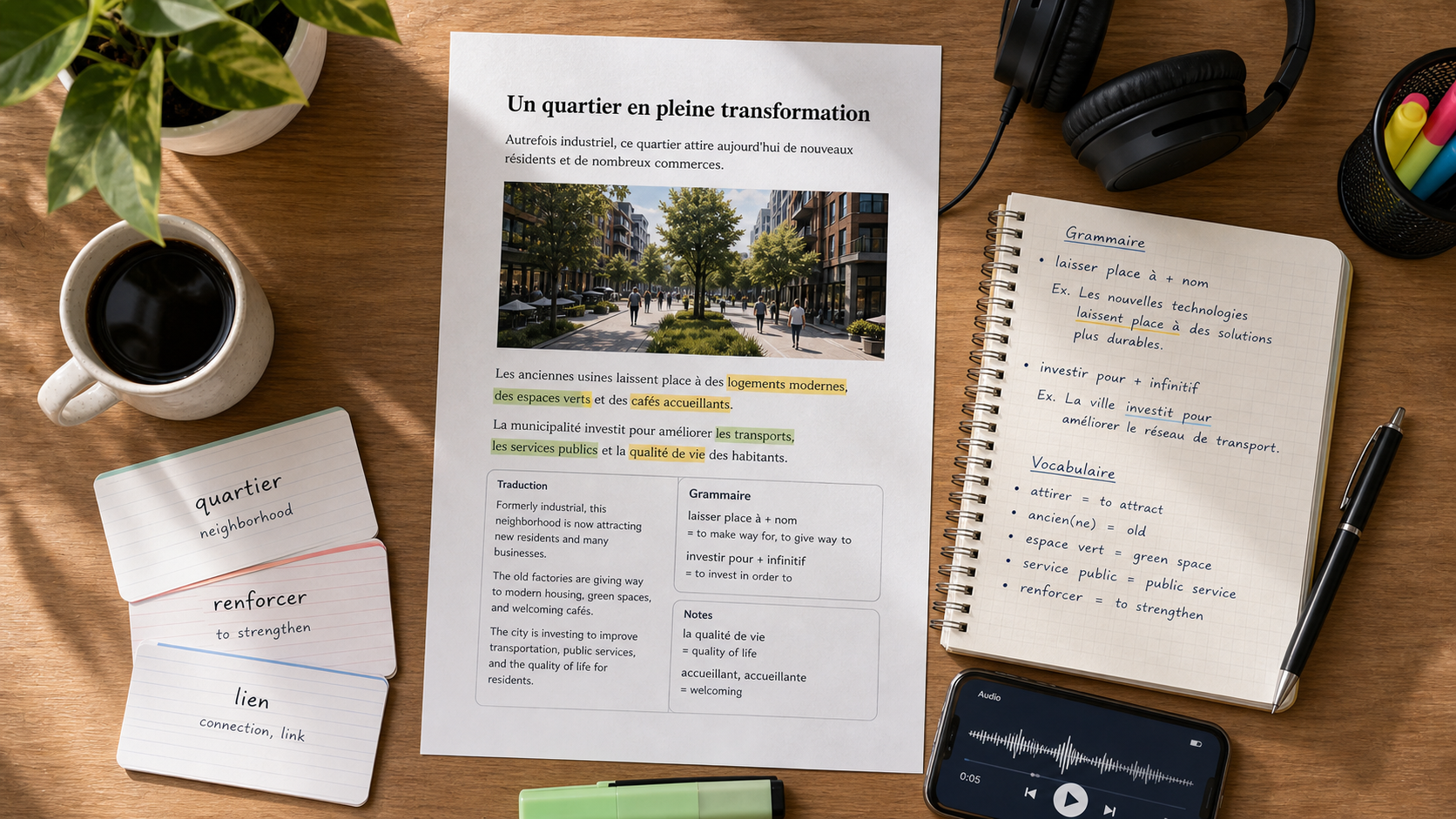
Why French articles feel harder than lessons
Course dialogues are designed to be understood. French articles are not. They include idioms, long clauses, tense shifts, cultural references, and vocabulary that was chosen for native readers, not learners.
That difficulty is useful. Real French articles expose you to the language as it is actually written: short news summaries, opinion pieces, product pages, recipes, interviews, sports reports, forum comments, and blog posts. The problem is not that these texts are too advanced. The problem is that most learners use the wrong reading workflow.
If you translate every sentence immediately, you stop training your reading ability. If you refuse translation completely, you waste energy guessing and often misunderstand the text. The middle path is better: try to understand first, then translate selectively.
The article-reading workflow
Use this five-step loop for any French article:
- Skim the title, subtitle, and first paragraph.
- Read one paragraph without translating.
- Pick the sentence that carries the most meaning or causes the most confusion.
- Turn that sentence into a learning session with grammar, vocabulary, and audio.
- Return to the paragraph and read it again.
This matters because French comprehension is built sentence by sentence. A full-page translation may tell you what the article says, but it does not teach you how the French works.
Example: one sentence, several learning layers
Take this sentence:
Le gouvernement a annoncé de nouvelles mesures afin de réduire les dépenses publiques.
A quick translation gives you:
The government announced new measures in order to reduce public spending.
That is useful, but a learner needs more than the meaning. The sentence also contains several reusable patterns:
| French | What to notice | Why it matters |
|---|---|---|
| a annoncé | passé composé with avoir | A completed action in the past |
| de nouvelles mesures | de before plural adjective + noun | Common after certain quantity or adjective structures |
| afin de réduire | formal way to say "in order to reduce" | Useful in news, essays, and formal writing |
| les dépenses publiques | adjective after the noun | Standard adjective placement |
Now listen to the sentence aloud. Notice the rhythm: Le gouvernement / a annoncé / de nouvelles mesures / afin de réduire / les dépenses publiques. French reading becomes easier when you hear the phrase groups, not just the individual words.
This is where a tool like Apprendr is useful: paste the sentence and get meaning support, grammar explanation, vocabulary breakdown, pronunciation audio, and saved review in one place.
Do not translate the whole article first
Whole-page translation is tempting because it removes friction. It is useful when you only need information quickly, but it is weak for learning.
When you translate the entire article before reading, your brain reads the English and treats the French as decoration. You may feel productive, but you are not building the pattern recognition that makes future French easier.
Use whole-article translation only for:
- Checking whether an article is worth reading
- Confirming the general topic before deeper study
- Handling urgent practical information
For learning, sentence-level translation is stronger because it preserves the productive struggle.
Choose articles at the right level
The right article is not one you understand perfectly. It is one where you can follow the topic but still need help with important sentences.
Use this rough guide:
| Level | Good article type | Avoid for now |
|---|---|---|
| A1 | Short learner news, recipes, simple travel pages | Opinion columns, literature, long interviews |
| A2 | Simple news summaries, lifestyle posts, product pages | Dense politics or abstract essays |
| B1 | General news, culture articles, explainers | Highly technical or literary writing |
| B2 | Opinion, interviews, long-form articles | Specialized legal, academic, or poetic texts |
| C1+ | Almost anything, with targeted lookups | Only texts outside your interest or domain |
If you need to translate almost every sentence, the article is probably too hard for today. Save it for later and choose something shorter.
What to extract from each article
Do not try to learn every unknown word. Articles contain many low-frequency terms that you may not need again soon. Instead, extract the items that explain the article and are likely to reappear.
Good vocabulary to save:
- Connectors: cependant, pourtant, ainsi, en revanche
- Common verbs: prévoir, souligner, entraîner, concerner
- Reusable nouns: enjeu, hausse, baisse, mesure, rapport
- Fixed phrases: selon une étude, mettre en place, faire face à
Less useful to save:
- One-off proper nouns
- Highly technical terms outside your goals
- Words you can infer easily from context
A strong session may give you only five useful vocabulary items. That is enough.
Pay attention to connectors
French articles rely heavily on connectors. These words show contrast, cause, consequence, and sequence. If you miss them, you can understand the vocabulary but misunderstand the argument.
| Connector | Meaning | Function |
|---|---|---|
| cependant | however | Contrast |
| en revanche | on the other hand | Contrast |
| ainsi | thus / in this way | Result |
| pourtant | yet / nevertheless | Unexpected contrast |
| tandis que | while / whereas | Comparison |
| puisque | since / because | Cause |
When a sentence feels confusing, first check whether a connector is changing the direction of the argument.
Use audio to make reading less silent
Reading French silently is useful, but it can hide pronunciation problems. You may recognize a word on the page but fail to understand it when someone says it aloud.
After studying a sentence, listen to the French audio once without reading. Then listen again while following the text. Finally, read it aloud yourself.
This builds three skills at once:
- Visual recognition: seeing the word
- Auditory recognition: hearing the word
- Production memory: saying the phrase yourself
For example, les dépenses publiques is easy to recognize in writing, but the final consonants and linking rhythm may not sound how an English speaker expects. Audio closes that gap.
A 20-minute weekly reading routine
Use this routine once or twice a week:
| Time | Task |
|---|---|
| 3 minutes | Pick a short French article on a topic you actually care about |
| 4 minutes | Skim and read the first two paragraphs without translating |
| 6 minutes | Study three confusing sentences with grammar, vocabulary, and audio |
| 4 minutes | Save five useful vocabulary items or phrases |
| 3 minutes | Listen to the three sentences and repeat them aloud |
This is enough for a serious session. The goal is not to finish every article. The goal is to make real French more legible each week.
Where Apprendr fits
Apprendr is built for this exact reading workflow. Instead of switching between a translator, dictionary, grammar guide, audio tool, and flashcard app, you can paste a French sentence and get:
- Meaning support
- Grammar explanation in plain language
- Key vocabulary with definitions
- CEFR-level adaptation from A1 to C2
- Native-quality pronunciation audio
- Saved learning history and generated review material
If you read French on the web, the Apprendr Chrome extension is the fastest path: select a sentence from an article, turn it into a learning session, then keep reading. To start from your level and interests first, use the getting started flow.
For a broader tool comparison, see Apprendr vs Google Translate and Apprendr vs DeepL.
The main rule
Do not use meaning support to avoid reading French. Use it to return to French with more understanding.
Read first. Translate selectively. Study the sentence. Listen to it. Then reread the original paragraph. That loop is what turns French articles from overwhelming blocks of text into steady, useful practice.